Converting Excel Forms and PDFs to Python App
Ditching the Clutter: How to Convert Legacy Excel Forms and PDFs into a Clean Python Web App
If your organization is anything like most, a massive chunk of your critical business data is currently trapped inside static PDF files or chaotic Excel spreadsheets. Over time, these files slow down, break due to missing formulas, or become absolute nightmare vectors for version control issues.
The modern solution is straightforward: convert your legacy documents into an interactive Python web application. Moving your document parsing and workflows to Python lets you build automated pipelines that process data flawlessly, calculate fields dynamically, and present a sleek user interface to your team.
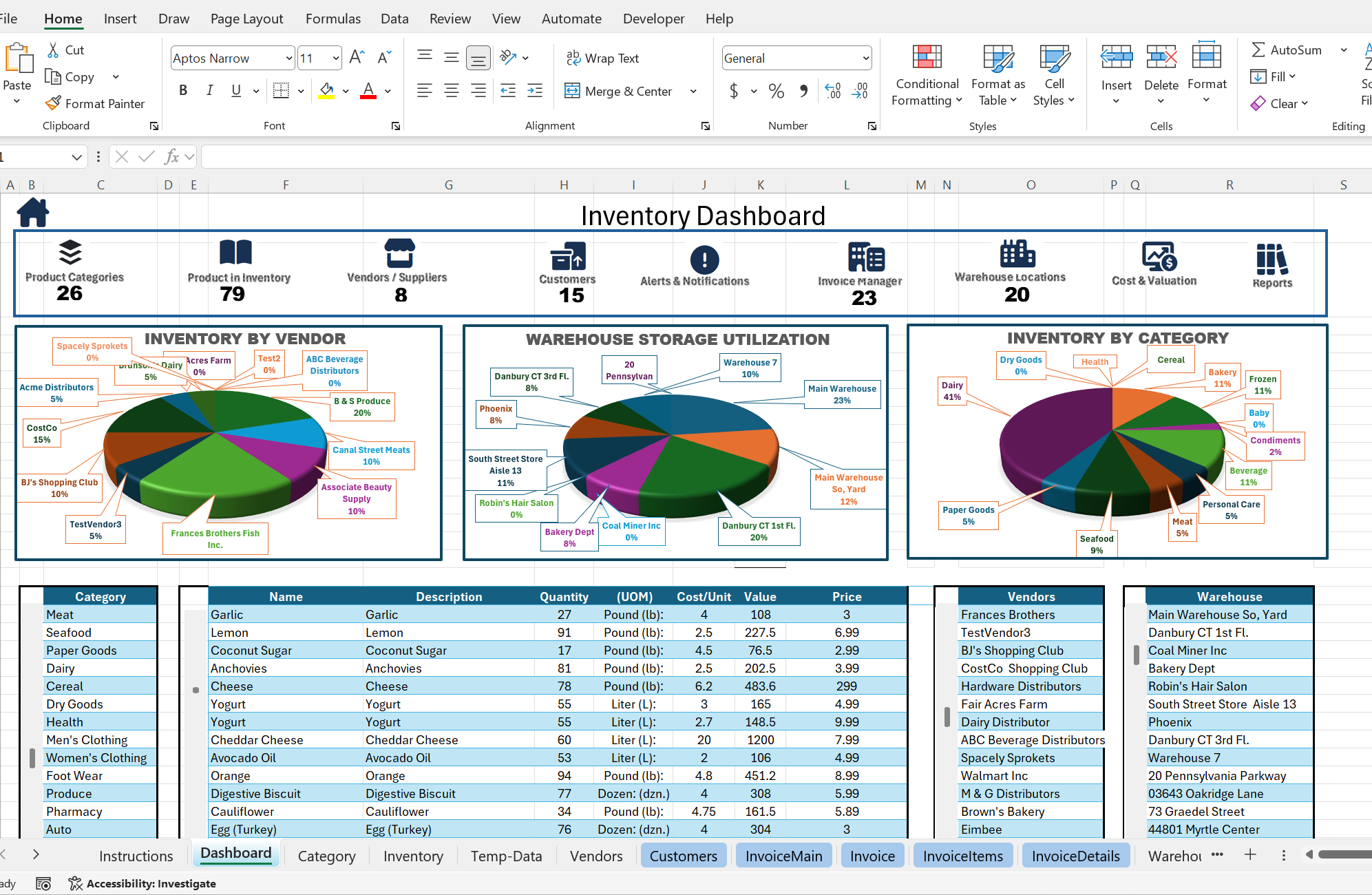
Before
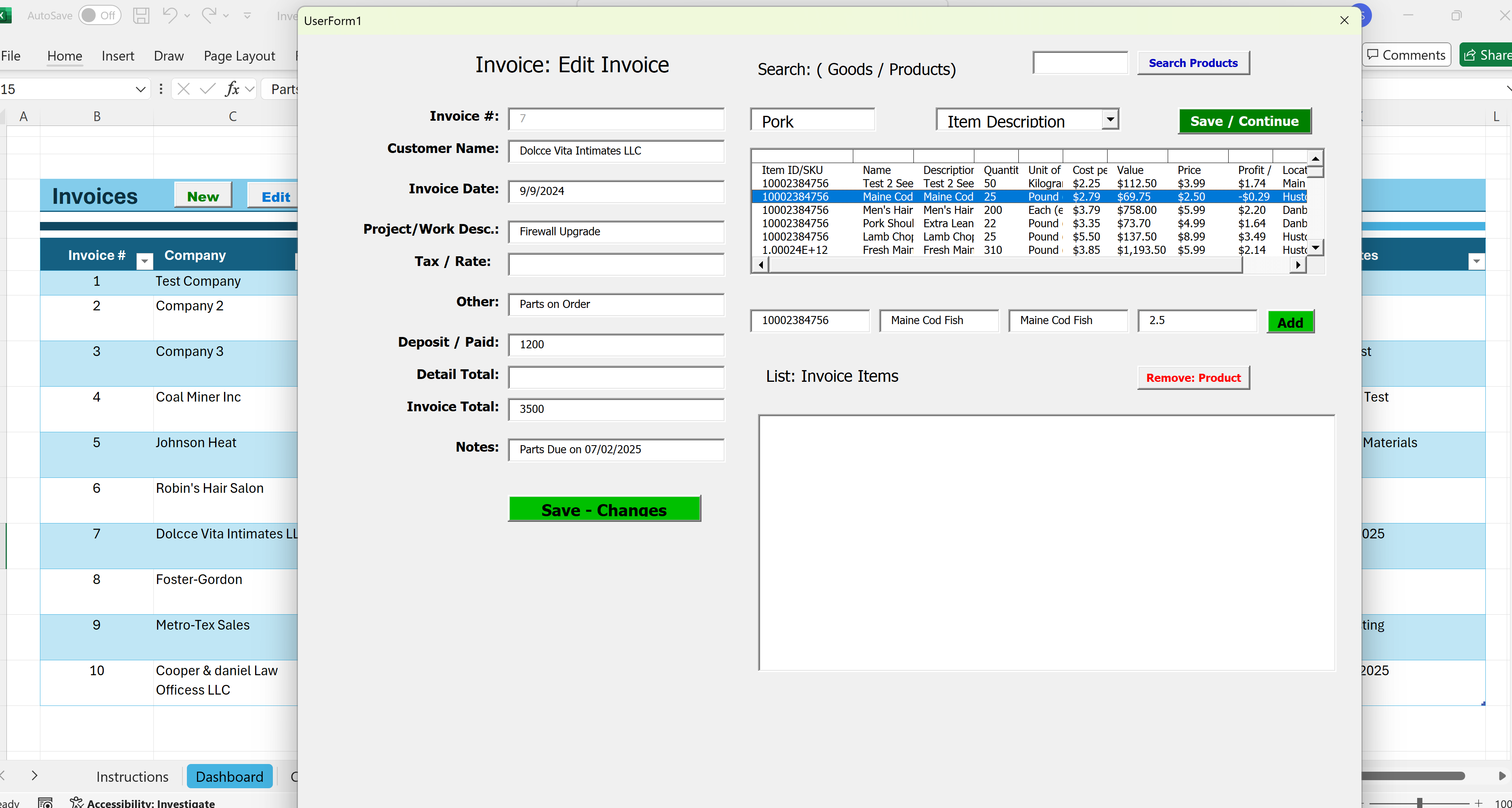
Step 1: Parsing Raw Inputs with Python
To extract data from your unstructured sources without breaking format rules, use standard open-source parsers instead of manually copy-pasting items.
Extracting from Excel Forms
If you have formatted template forms, use openpyxl to extract exact coordinate cells or target table headers directly into safe memory space:
Step 3:
Scraping Text from Excel and PDF Documents
- For static file attachments, use libraries like pypdf or pdfplumber to pull raw lines of text or scan underlying vector grids for table blocks:
- What specific type of forms (e.g., invoices, timecards, financial models) you are trying to convert?
Step 4:
- Identifying Work-Flow on how Users actually use the Excel Form/File
This probably the hardest step in some organizations. Especially those organizations that do not have or maintain SOPs, Work-Orders, or any structured form of Documentation
Note: If you identify an organization that lacks or has poor Documentation structure this may be an opportunity to to offer additional Services.
Step 5:
Designing the Python Web Application Interface
Zero Formula Deletions: Business processing logic stays locked safely inside your source repositories rather than inside fragile workbook grids.
Centralized Database Connectivity: Seamlessly route parsed file information into relational SQL environments instead of storing isolated flat files locally.
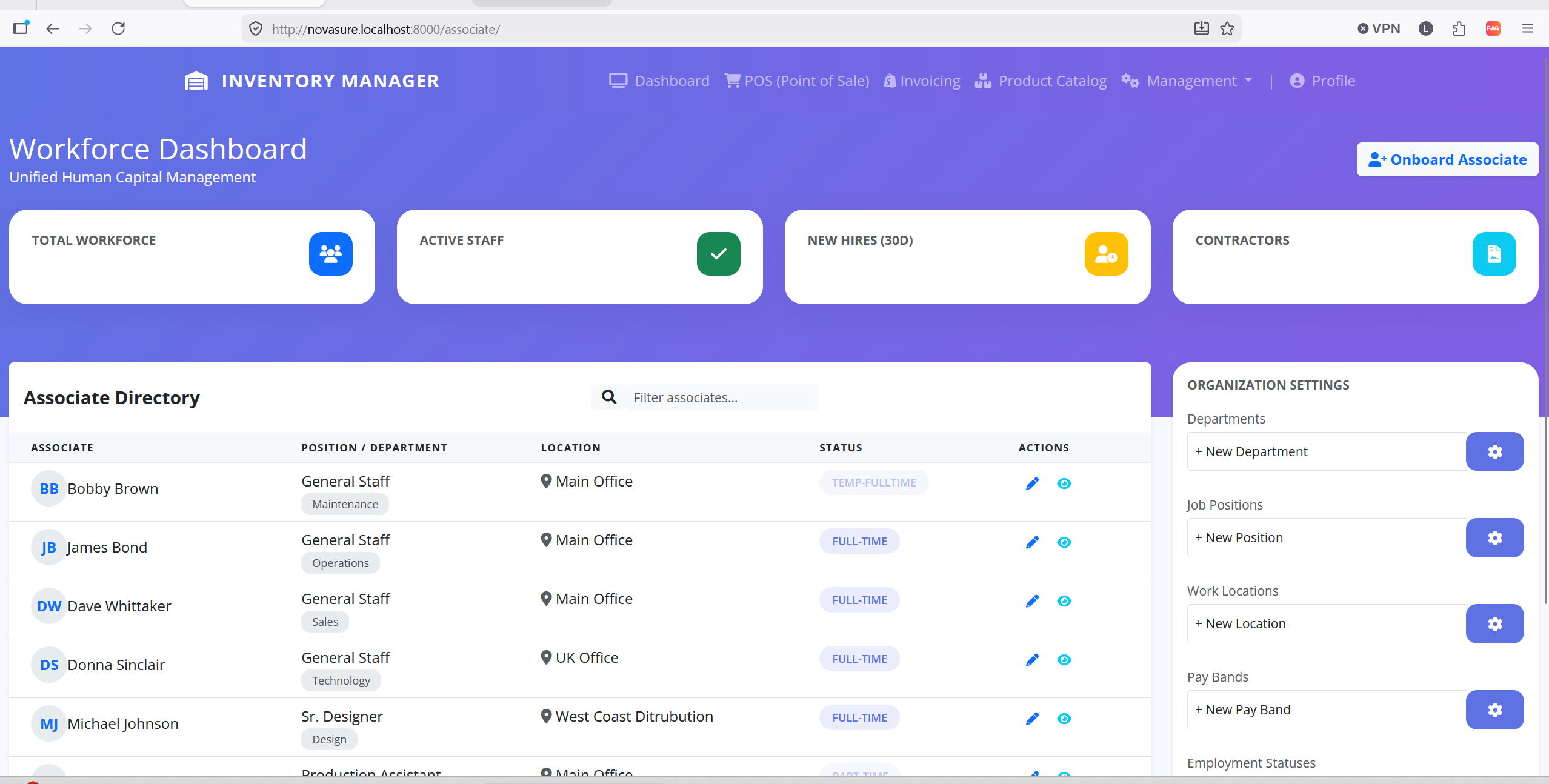
After
Cloud Native Accessibility: Host your newly generated pipeline tool universally over clean cloud endpoints so remote teams access workflows anywhere.''
Step 6:
Adding UAC “User Access Controls” and management
- For any Web Application User access Controls are a central part of maintaining Data Security and integrity.
What most Users and early adopters of any Excel-to-Web Application conversion don't realize is that they now gain the ability to control what user can see and do, and or have access to within their new App.
Consequentially they App Owner gains a measure of control and flexibility not found in MS Excel or a PDF File as below…,
- Access Controls
- User Management
- Audit Logs and controls
- Input Validation
- Real-Time